Most upgrade problems come from skipping one of these.
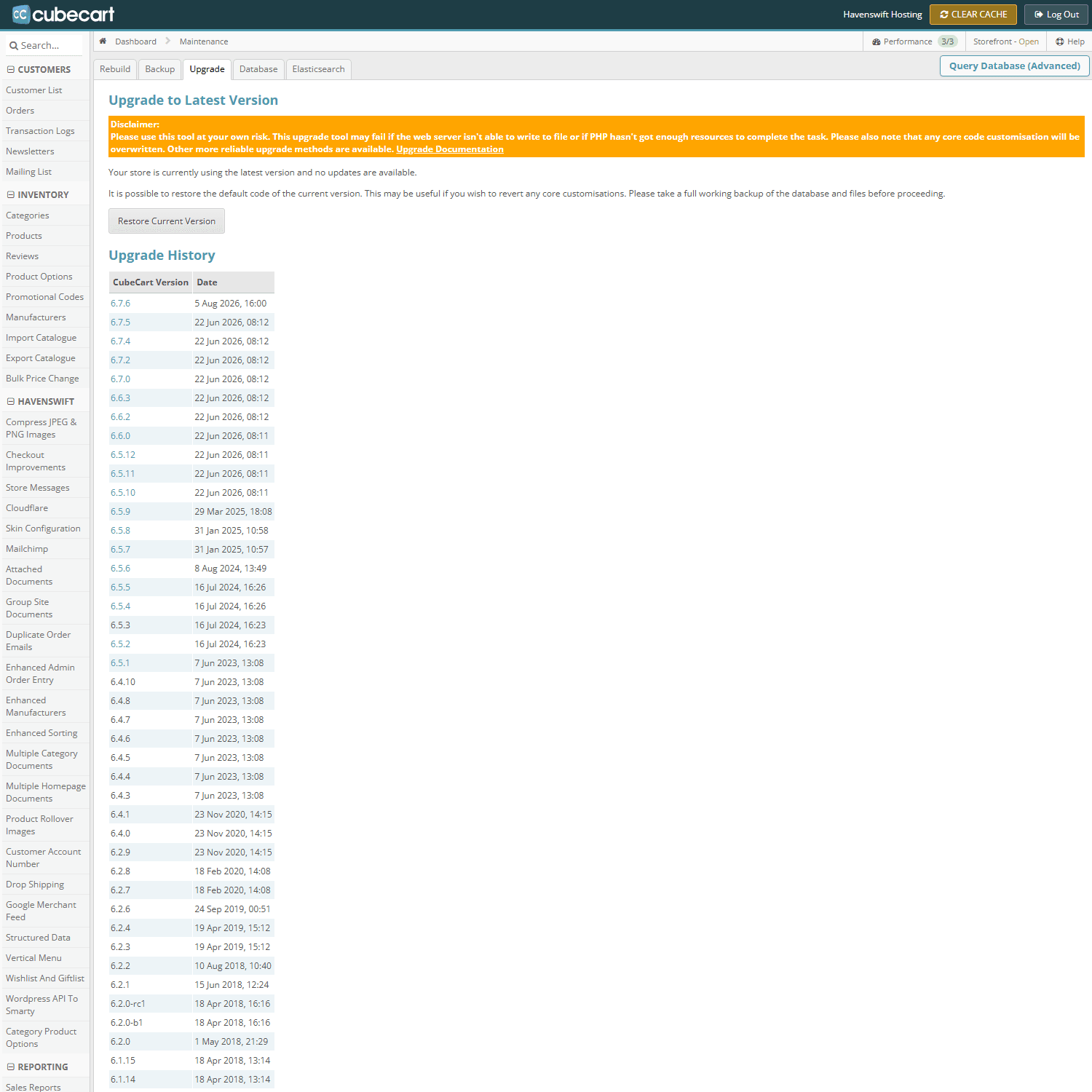
Maintenance, Upgrade tab: the version the store is on, and every upgrade it has had
Before
- Take a full backup of files and database, and download it. Not a backup left on the account.
- Check the PHP version the new release requires, and that your account is running it. Newer CubeCart releases have raised the minimum more than once.
- Check your extensions. Every plugin and skin you use should be confirmed compatible with the version you are moving to. Skins are the usual casualty, because a customised skin does not receive upstream fixes.
- Note your customisations. Anything edited directly in the core or in a stock skin will be overwritten. If you do not know what was changed, compare against a clean copy before you start.
- Pick a quiet time, and put the store into maintenance mode.
After
- Clear the store cache, then reload the storefront
- Log into the admin and check the version reported
- Place a full test order including payment
- Check your plugins are still licensed and enabled
- Check the search results and category pages, which depend on indexes that may need rebuilding
- Look at the error log for anything new
If something is wrong
That is what the backup is for. Restore, work out what happened, and try again rather than fixing forward on a live shop.
We upgrade stores for customers as a service – if you would rather not do this yourself, open a ticket.
