A website sends its own email completely separately from the mailboxes you read. That catches people out, because the two look like one thing from the outside. Your mailboxes can be working perfectly while the site itself has not delivered a single message for months, and nothing on the site looks broken.
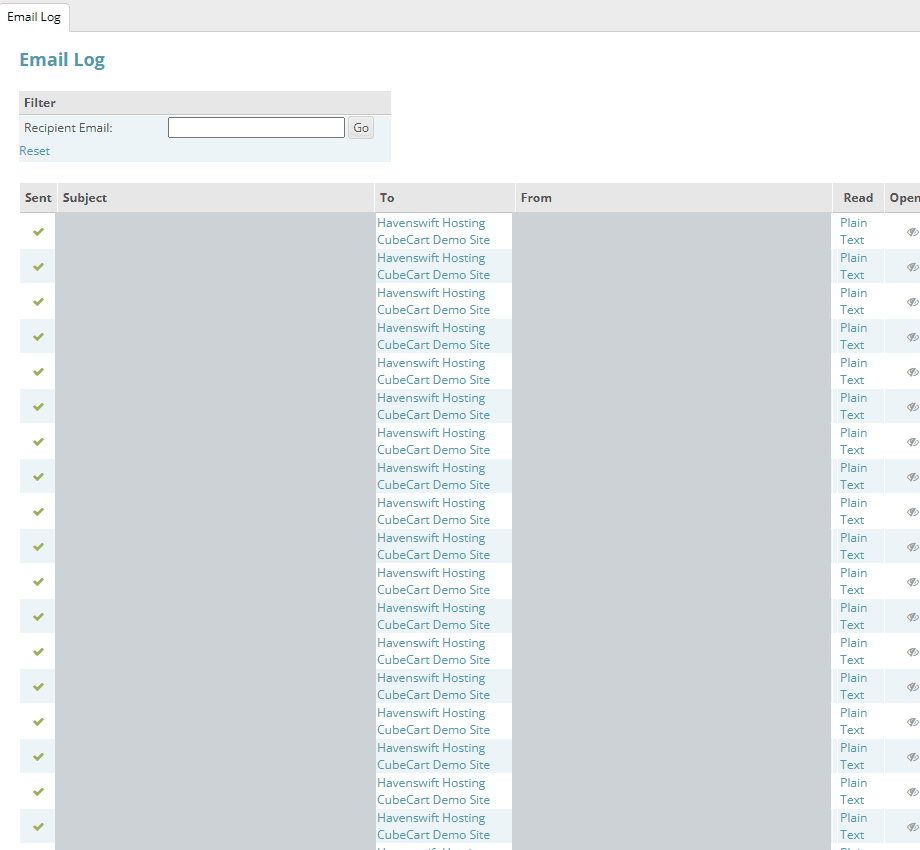
The Email Log in CubeCart admin. Subjects and senders are masked here; what matters is whether the store recorded the message at all
Why it fails silently
Almost every website is configured to hand its outgoing mail to a named mail server, using a mailbox and password to authenticate. That server name is written into the site's settings once, at build or migration time, and then never looked at again. If it later stops existing – the server was retired or renamed, you changed hosting, or you moved your mailboxes to a different provider – the site keeps running exactly as before and simply fails at the moment it tries to send.
There is no bounce message, because nothing ever reached the internet to bounce. Nobody complains, because the people who should have received the email do not know it was sent. This is the single most common reason a shop goes months without anyone noticing that order confirmations have stopped.
Check the site's own email log first
Most platforms keep a record of every message they tried to send, and it will usually name the fault outright. In CubeCart it is under Reporting, Email Log. In WordPress and WooCommerce you need a mail logging plugin, which is worth installing before you need it. An error along the lines of SMTP connect() failed against every recent message means the site cannot reach the mail server at all, and the host name is the first thing to look at.
Where the setting lives
- CubeCart: Settings, then the Advanced tab, in the Email section at the top
- WordPress and WooCommerce: in your SMTP plugin, not in WordPress itself
- Contact forms and custom sites: usually a configuration file, or the form plugin's own settings
What the settings should say
The outgoing server must be the SMTP host of whoever runs your mailboxes today, not whoever ran them when the site was built. Authenticate as a real mailbox on your own domain, and send from that same address. Port 465 with SSL, or 587 with STARTTLS, are the usual choices and your provider will tell you which they prefer.
If your mailboxes are with Microsoft 365, Google Workspace, IONOS or any other external provider, the website must send through their SMTP server, even though the site is hosted with us. The reason is SPF: your domain publishes a record naming who is allowed to send mail as you, and if the site sends from somewhere that record does not authorise, the message fails authentication and is very likely to be filtered into spam. Getting this wrong swaps a visible failure for an invisible one, which is worse.
Two related traps
Do not send from the customer's own address, however natural it looks on a contact form. Send from your own domain and put the customer in Reply-To, or the message will fail authentication for the same reason.
If you have moved your mailboxes away from us but kept the website here, our server also has to be told to stop delivering your domain's mail to itself. That is a separate setting at our end and it produces the same vanishing-mail symptom. It is covered in Using Microsoft 365 or Google Workspace with hosting here.
Always use mail.yourdomain, never a server name
Set the outgoing server to mail.yourdomain.com rather than the name of the physical server your account happens to sit on. Server names change when accounts are moved or hardware is replaced, and every site still pointing at the old one stops sending at that moment, silently. The mail.yourdomain.com form follows your domain wherever it is hosted, so it keeps working through any move.
A wrong saved password looks exactly the same
A dead server name is the most common cause, but a saved password that no longer works produces an identical silent failure. Mailbox passwords get changed after a security scare, when a member of staff leaves, or when a provider forces a reset, and the website is almost never updated at the same time.
The site's email log tells the two apart. A message such as 535 Incorrect authentication data means the server was reached and the credentials were refused, so the host name is fine and the password is not. SMTP connect() failed means the site could not reach the server at all.
Two things worth remembering. If a site has never sent successfully since it was built, suspect the password rather than the host. And whenever you change a mailbox password, stop and ask whether a shop, contact form or other website is also using that mailbox to send, because it will need the new password too.
Sending through an external provider
For security, our servers do not let websites open direct connections to outside mail servers by default. This is what stops a compromised site being used to send spam from our network, which would affect every customer on that server.
If your mailboxes are with an external provider such as Microsoft 365, Google Workspace or IONOS, and your site genuinely needs to send through them, that connection stays blocked until we allow it for your account. The site reports SMTP connect() failed even though every setting is correct, which makes it look like a settings problem when it is not.
This only affects sites sending through a provider outside our network. If your mail is hosted with us, mail.yourdomain.com works with no change needed. If you do need an external provider, open a ticket and we will enable it for your account. We monitor for these blocks and will usually have contacted you first.
Prove it, do not assume it
Most platforms have a test button next to these settings, and that is the right first check. But a successful test only proves the mail path works. Place a real test order, or submit the contact form yourself, and confirm the message arrives. That is the only thing that proves the site is both able to send and actually triggering the message.
Recovering what was missed
Once sending works again, some platforms let you resend past messages. CubeCart has a Resend option against every entry in its email log, so order confirmations and payment receipts can be sent to customers who never received them. It is worth going back through recent orders rather than leaving those customers wondering.
If you are unsure what your site is configured to do, open a ticket and we will look at the settings and the mail logs with you.
